Outdoor WiFi Security Camera (CamHipro App)
Why can't I access my camera remotely?
- Wednesday, 28 June 2023
- 0
- 5907
- 3
It may be that you have not configured the wireless network for the camera,
Please refer to the following figure to set:
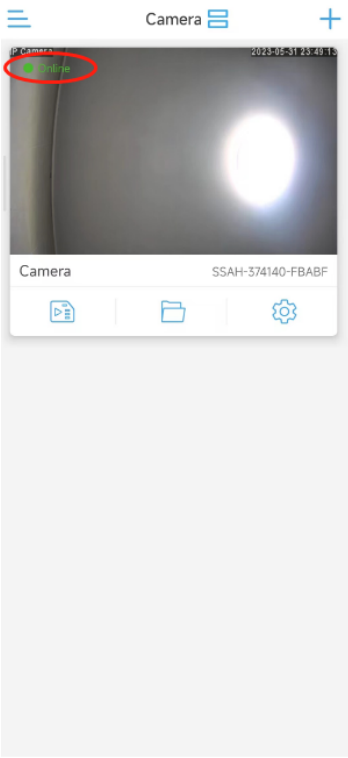
Please connect the camera to the router with a network cable, and connect the power supply to make the camera online in the CamHipro APP
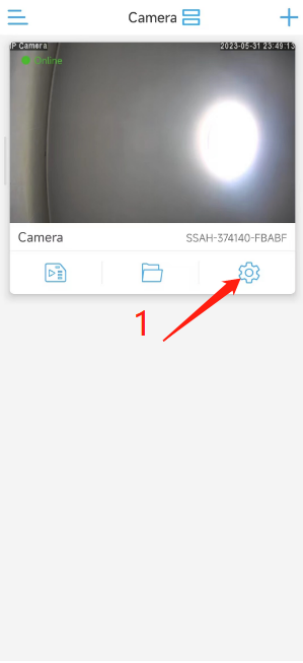
1. Open the CamHipro APP, tap the setting icon

2. Tap “Wireless setting”
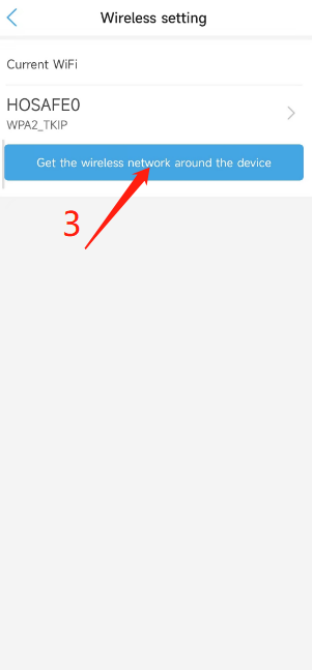
3. Tap “Get the wireless network around the device”
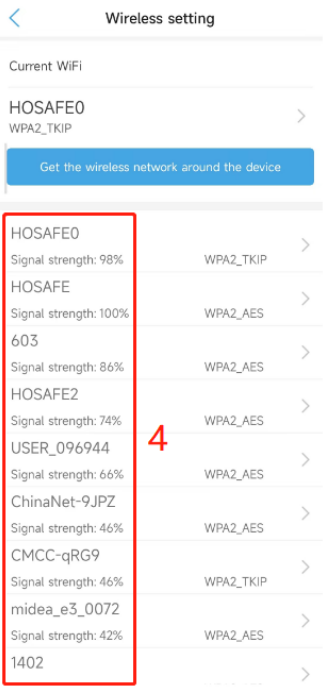
4. Select your home WiFi name
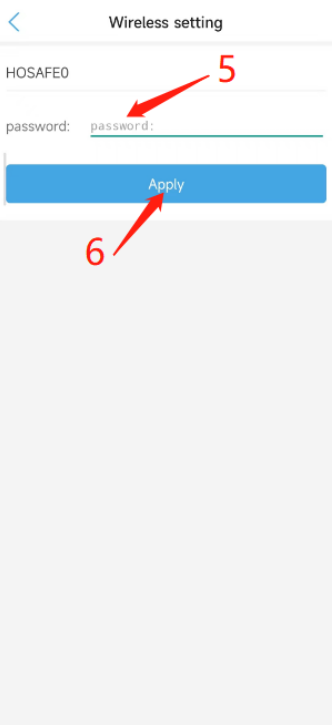
5. Tap and enter your home wifi’s password
6. Then tap “Apply”
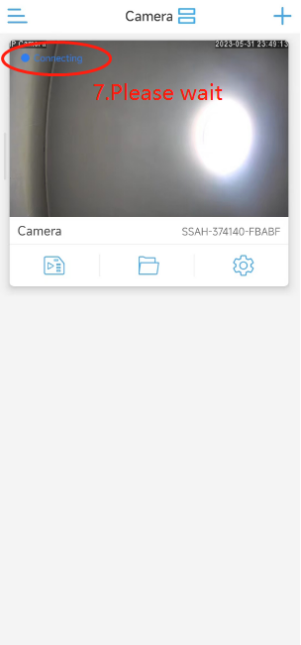
7. Unplug the network cable, and wait for 20 seconds, the camera will reconnect on the CamHipro APP via WiFi
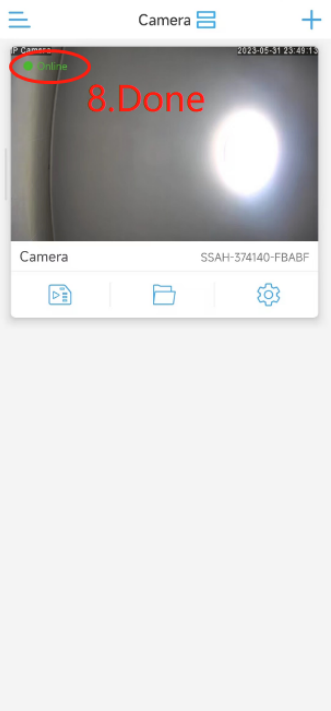
8. When the camera shows "online", the camera's wireless network configuration is successful, and you can access the camera remotely.
0users like this.

3comments
- HX-2PT1
- UBox
- CamHipro
- Time Zone
- Email Alert
- SD card
- SD Card
- Share
- 4G camera
- Motion Detection
- Recording
- Delay
- Time
- Date
- Add camera
- Camhipro
- Blue Iris
- ONVIF
- adobe flash
- flash
- adobe
- chrome
- firefox
- edge
- RBX-S40
- UBOX
- Add several cameras
- Web
- Browser
- full-time recording
- 24/7
- Share the camera
- share
- Sound Alarm
- Save motion events
- Alarm Video
- Floodlight
- Forget password
- Reset
- Reset Camera
- Access Camera
- remotely
- CamHipro APP
- Add Camera
- Without a network cable
- change password
- PC software
- Password error
- 2-Way Speak
- User Manual
- Instruction
- App
- Phone App
- warranty
- 2 year warranty
- after sales service
- support
- Video
- Share Camera
- Change Time Zone
- Alarm Push
- Receive Alarm Push
- Tracking Switch
- automatically track
- Format SD Card
- push
- 4G
- confirmation
- false alarm
- sensitivity
- format
- alarm
- recording duration
- detect motion
- Can't pair
- add
- phone
- Ubox
- can't add
- battery
- Change time
- camera time is different
- time
- change camera time
- time is different
- different
- connection
- wifi
- unstable
- disconnected
- offline
- Red and blue flashing alternately
- unable to pair
- unable to connect