Storage, Data & Troubleshooting
Security Camera Won’t Connect? WiFi and 4G Troubleshooting Checklist
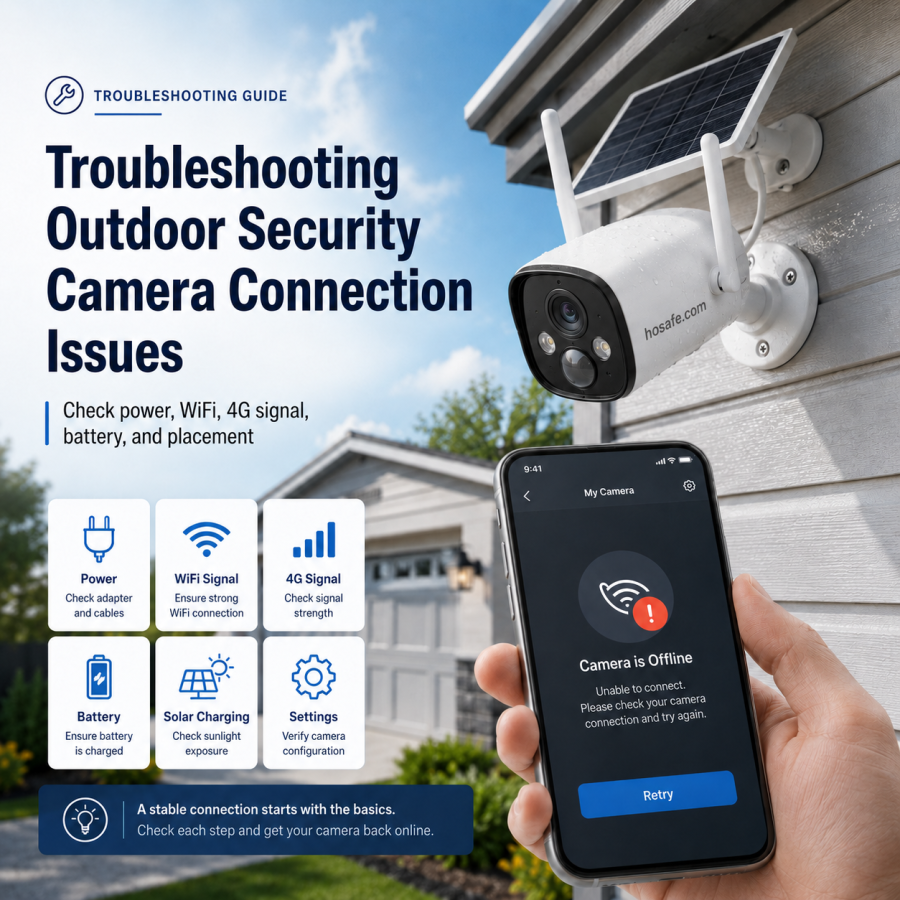
Short answer: if a security camera will not connect, check power first, then identify whether it is a WiFi or 4G model. WiFi cameras commonly fail because of band, password, signal, or router problems; 4G cameras depend on cellular coverage, SIM/data service, and network registration. Avoid repeatedly resetting the camera until those basic conditions have been checked.
Quick Troubleshooting Checklist
| Symptom | Likely Area to Check | First Step |
|---|---|---|
| Camera has no lights/status | Power | Check adapter, cable, battery, or charging |
| WiFi camera will not add | Band/password | Confirm supported WiFi and credentials |
| WiFi camera works near router only | Signal strength | Test coverage at final mounting point |
| 4G camera will not go online | Cellular/SIM | Check coverage and service status |
| Camera connects then drops | Signal or power stability | Check both rather than resetting immediately |
Step 1: Confirm Stable Power
- Plug-in camera: check outlet, adapter, and cable.
- Battery camera: confirm sufficient battery charge.
- Solar camera: check battery status and solar exposure.
A camera that loses power can look like a network problem even when the WiFi or cellular connection is fine.
WiFi Camera Won’t Connect
1. Confirm the Supported WiFi Band
Check whether the camera supports 2.4GHz only or both 2.4GHz and 5GHz. Connect it to a supported network during setup.
2. Re-enter the WiFi Password
A saved or mistyped password is a common setup problem. Enter it again carefully.
3. Move the Camera Closer to the Router for Testing
If the camera connects near the router but not at the final location, the issue is likely coverage rather than the camera itself.
4. Restart the Router and Camera
Allow the router to come fully back online before testing the camera again.
5. Re-add the Camera After Network Changes
If the router, network name, or password changed, the camera may still be trying to use the old credentials.
If the camera connects but keeps dropping later, see Why Does My WiFi Security Camera Keep Disconnecting? 8 Fixes.
4G Camera Won’t Connect
1. Check Cellular Coverage at the Mounting Point
A gate, barn, or lower area of a property can have a different signal level from the house. Test the actual installation area.
2. Check SIM/Data Service Status
Confirm that the camera's included service, trial, or renewed data plan is active where required.
3. Restart and Allow Time for Network Registration
After restart, allow the camera time to reconnect to the cellular network before assuming it has failed.
4. Review Indicator Lights or App Status
Use the model-specific manual to interpret LEDs, voice prompts, or app messages. They can help distinguish setup, power, and cellular-registration problems.
When Should You Reset the Camera?
Use a factory reset after basic power and network checks, not as the first response to every connection problem. If you reset too early, you may erase working setup information without fixing weak signal, wrong WiFi band, expired cellular service, or unstable power.
Camera Connects but Keeps Going Offline
Intermittent failures usually point to unstable conditions: weak WiFi, inconsistent cellular coverage, router congestion, battery problems, or power interruptions. Record when the problem happens and what the camera status shows at that moment.
What Information to Prepare Before Contacting Support
- Camera model
- App name
- WiFi or 4G connection type
- Indicator-light or voice-prompt status
- Whether the issue occurs during setup or after the camera was previously online
- Any error message shown in the app
This makes troubleshooting faster than simply reporting “camera offline.”
Using the Wrong Network for the Location?
Frequently Asked Questions
Why won’t my security camera connect to WiFi?
Common causes include unsupported WiFi band, wrong password, weak signal, router changes, or unstable power.
Why won’t my 4G camera go online?
Check cellular coverage, SIM/data service, power, and network-registration status.
Should I reset the camera first?
Usually no. Check power, network compatibility, signal, and service status first.
Why does the camera connect near the router but not outside?
The final mounting location likely has weaker WiFi because of distance or building materials.
What should I send to HOSAFE support?
Provide the model, app, connection type, status indicators, error message, and the exact stage where connection fails.
338users like this.