4G, WiFi & Camera Solutions
When Does a 4G Security Camera Use Cellular Data? 6 Activities Explained
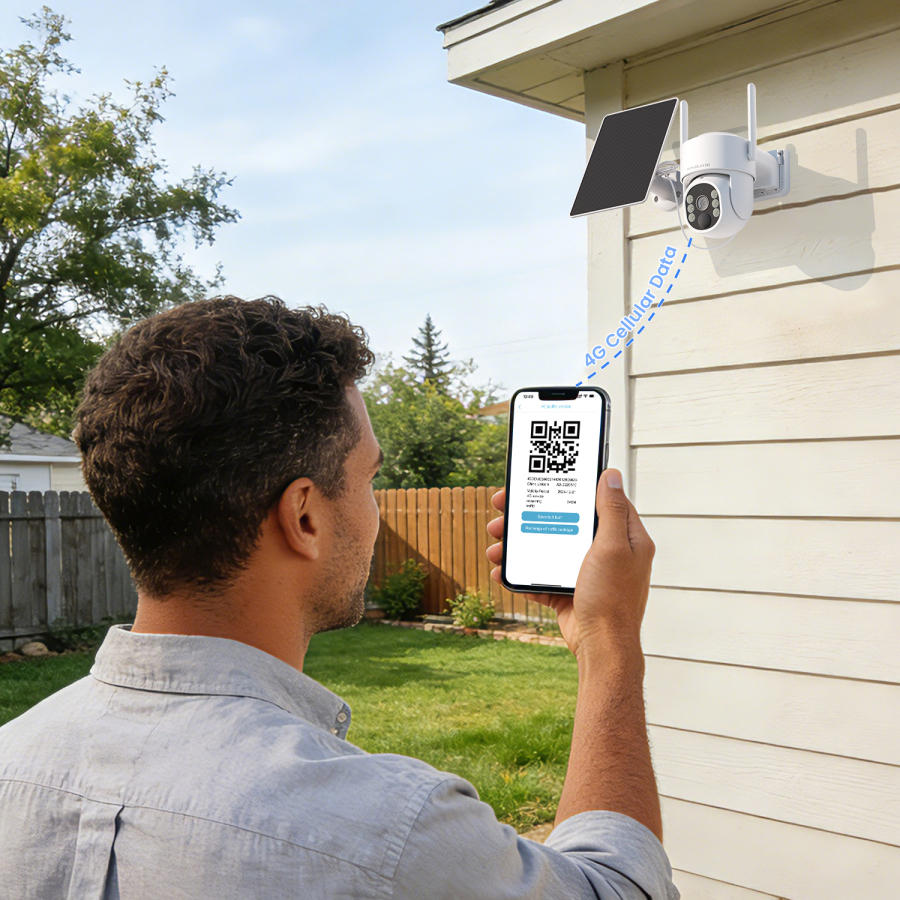
Short answer: a 4G security camera uses cellular data when it sends or receives information over the mobile network. The biggest data-consuming activities are usually video-related, such as live view, event clip uploads, and remote playback. Simple notifications and background device communication typically require much less data than video.
6 Activities That Can Use Cellular Data
| Activity | Uses Data? | Relative Impact |
|---|---|---|
| Live view | Yes | Can be high because video is streamed in real time |
| Motion-event clip upload | Yes | Depends on event count, clip length, video quality, and model behavior |
| Cloud upload | Yes | Video must be transferred from the camera to an online service |
| Remote cloud playback | Yes | Stored video must be delivered back to the viewer |
| Push alerts / app status | Yes, usually small | Normally much lower than video transfer |
| Firmware and device communication | Yes | Usually small compared with streaming |
1. Does Live View Use Cellular Data?
Yes. When you open live view in the app, video travels from the camera through the cellular network to your phone. The longer live view stays open, the more data the camera generally needs to transfer.
2. Do Motion Alerts Use Cellular Data?
The alert itself is small compared with video, but the event behind it may trigger a clip or cloud upload. Busy driveways, jobsites, roads, or livestock areas can therefore have different usage patterns from quiet gates.
If unwanted movement creates too many events, see how to reduce false motion alerts.
3. Does Uploading Motion Video to the Cloud Use Data?
Yes. If the camera uploads event recordings to cloud storage, those files must be sent over the cellular connection. More events, longer clips, and higher video quality can increase transfer.
4. Does Remote Cloud Playback Use Cellular Data?
Yes. When you remotely play a cloud recording, data is used to deliver video to your device. Repeatedly reviewing long clips can add to overall usage.
5. Does an SD Card Use Cellular Data?
Recording locally to a microSD card does not by itself require that file to be uploaded. However, remotely accessing the camera or playing back local recordings through the app can still require cellular communication.
6. Do App Notifications and Device Status Use Data?
Yes, but these exchanges are generally much smaller than video streaming. A camera may use small amounts of data for alerts, status, settings, or other communication even when live view is closed.
What Usually Uses the Most Data?
- Frequent or long live-view sessions
- Large numbers of recorded events
- Longer clips or higher video quality
- Frequent remote playback
- Cloud upload behavior
For monthly planning, use our 4G security camera monthly data usage guide.
How to Control Cellular Data Usage
- Reduce unnecessary triggers: keep busy roads and moving vegetation outside the main detection area where practical.
- Use activity zones or detection filters: focus on important areas.
- Limit unnecessary live view: short checks use less data than long streams.
- Choose suitable event settings: longer or more frequent clips can increase transfer.
- Review actual usage: use real behavior to decide whether the current plan fits.
Data Usage Is Not the Same as a Data Plan
This article explains when data is used. For HOSAFE-specific SIM and renewal information, see the HOSAFE 4G Camera Data Plans & SIM Renewal Guide.
Need Monitoring Where Home WiFi Does Not Reach?
Frequently Asked Questions
Does a 4G camera use data when nobody is watching?
It can. Event uploads, alerts, status communication, and other connected functions may use data even when live view is closed.
Does live view use more data than notifications?
Usually, yes. Video streaming transfers much more information than a simple alert.
Does local SD storage eliminate cellular data?
No. Local storage saves footage on the camera, but remote app access still depends on the network connection.
121users like this.